
Enter your universe
Your private universe. Unlocked by you.
Your saved passkey identifies your account. No email or email code needed.
Your device chooses the available unlock method.
First-time setup or email recovery
Step 1 of 2 · Verify your email
Email backup sign-in
This signs you in using an email code. It does not create a passkey or use biometrics.
Step 2 of 2 · Save your passkey
Finish the prompt from your device. It may offer Face ID, Touch ID, a phone, or your device unlock code. Email verification alone has not created a passkey.
Open on my phone · QR code
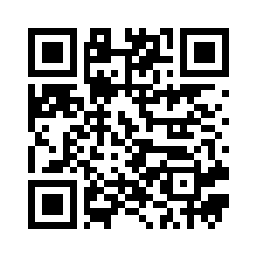
Scan with your phone camera to open setup there. Verify your email, then create a passkey using Face ID or your phone’s fingerprint sensor.
Open phone setupTo unlock this computer with an existing phone passkey, use the sign-in button above, then choose “Other options” or “Use another device” in your browser’s prompt. That prompt supplies a separate sign-in QR code.
Use preview password
Preview username: anton
Forgot password or username / email?
Your regular sign-in uses your email, with a passkey or an email code. There is no separate username. The preview username is anton.
Forgot your preview password? Use email recovery to sign in and set up a passkey. This does not change the preview password.
Forgot which email you used? Check the saved entry for os.sanitykeeper.com in Apple Passwords or your password manager, or find your earlier verification email. Recovery requires access to that mailbox.